Building or maintaining a website can involve a lot of decisions. The Penguin Websites Resources section provides helpful information to make those decisions a little easier. Whether you're planning your first website or looking for ways to improve an existing one, you'll find practical information and answers here.
Planning & Preparing Your Website

A successful website begins with good planning and preparation. Before development starts, consider what you want your website to accomplish, who your customers are, and what information they will need. Having these things organized can make the website development process easier and more efficient.
{Continue Reading ⇩}
Determine the Purpose of Your Website
Think about what you want visitors to do when they reach your website. You may want them to learn about your services, purchase products, request an estimate, contact your business, or access customer information.
Knowing the primary purpose helps determine the pages, content, and features your website will need.
Decide What Pages You Need
Most business websites include pages such as Home, About, Services, and Contact. Depending on your business, you may also need pages for pricing, reviews, frequently asked questions, products, a portfolio, or other important information.
Gather Your Website Content

Begin collecting the information you want included on your website. This may include your business description, services or products, prices, hours, contact information, service area, customer testimonials, and frequently asked questions.
You should also gather your logo, photographs, graphics, and business colors. These materials help establish the appearance of your website and give visitors a better understanding of your business.
Consider Your Website Features
Think about any special features your website may need, such as contact forms, photo galleries, online payments, customer login areas, appointment requests, or other interactive features.
Discussing these needs early allows them to become part of the overall website plan.
Think About Your Customers

Your website should make it easy for visitors to understand what your business does, what you offer, and how to contact you. Try to anticipate the questions customers are most likely to have and make those answers easy to find.
We Can Help With the Rest
You don't need to have every detail figured out before getting started. Bring us your ideas, information, photographs, and goals, and Penguin Websites can help organize everything into a clear, professional website designed around your business.
Understanding Domain Names
A domain name is the address people use to find your website on the internet. Choosing a domain that is short, easy to remember, and closely related to your business can make it easier for customers to find you online.
{Continue Reading ⇩}
Choosing a Domain Name
Whenever possible, choose a domain that matches your business name or is very similar to it. Avoid complicated spellings, unnecessary numbers, and names that are difficult to remember.
The ending of the domain, such as .com, .net, or .org, is called the domain extension. .com remains a familiar choice for many businesses, although other extensions may also be appropriate.
Registering and Protecting Your Domain
Domain names must be registered and renewed periodically. Your domain is an important part of your business, so you should maintain access to the account where it is registered and keep the account and renewal information current.
Enabling automatic renewal can help prevent your domain from accidentally expiring.
Domain Names and Hosting

A domain name and website hosting are different. The domain is your website's address, while hosting is where the website's files and information are stored. The domain directs visitors to the hosting server so your website can be displayed.
We Can Help
Whether you already have a domain or need help selecting one, Penguin Websites can help you get your domain connected properly and ready to use with your new website.
Website Design & Development
Website design and development work together to turn an idea into a complete, functional website. Website design focuses on how the site looks and how information is arranged, while website development brings that design to life and makes the different features of the website work.
{Continue Reading ⇩}
Website Design
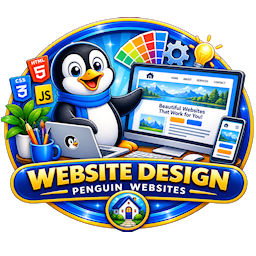
Good website design should be attractive without making the site difficult to use. Page layouts, navigation, colors, fonts, images, and content all need to work together to give visitors a clear and consistent experience.
At Penguin Websites, we design websites around the individual business rather than taking a one-size-fits-all approach. The goal is to create a professional website that represents the business while making important information easy for customers to find.
Website Development
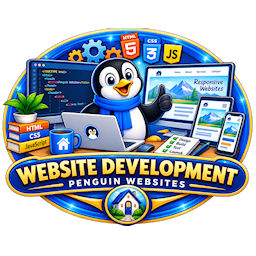
Development is the work behind the finished design. It involves building the pages, navigation, forms, and other features that allow visitors to use and interact with the website.
Depending on the needs of the project, development may involve HTML , CSS , JavaScript , PHP , SQL , and database technology. These tools can be used to create everything from basic informational pages to interactive features and client areas.
Designed for Different Devices

Today's visitors may view a website on a desktop computer, laptop, tablet, or mobile phone. Websites should be developed so the content remains clear and usable across different screen sizes.
This allows customers to comfortably navigate the website and find important information regardless of the device they are using.
Bringing It All Together
A successful website needs both thoughtful design and solid development. The appearance of the site should represent the business, while the technology behind it should make the website functional and easy to use.
At Penguin Websites, we bring these elements together to create websites designed around the needs of each business and its customers.
Website Hosting
Every website needs a place to store its files and information so visitors can access it through the internet. Website hosting provides the server space and resources that make your website available online.
When someone enters your domain name into a browser, the domain directs them to the hosting server. The server then delivers the website's pages, images, and other content to their device.
{Continue Reading ⇩}
Hosting and Your Domain Name
A domain name and website hosting work together, but they are not the same thing. Your domain name is the website's address, while hosting is where the website is stored.
Both are necessary for a website to be available to visitors. They must also be properly connected so entering your domain takes customers to the correct website.
Keeping Your Website Available

Reliable hosting helps keep your website accessible to customers throughout the day. Hosting also provides the resources needed for your website's pages, images, forms, databases, and other features to operate.
The amount and type of hosting required can vary depending on the size of the website and the features it includes.
Security and Backups

Website hosting also plays an important role in protecting your website. Features such as SSL certificates, backups, and server security can help protect website information and provide options for restoring a site if a problem occurs.
Keeping website software and security features current is another important part of maintaining a reliable website.
Hosting with Penguin Websites
Penguin Websites can take care of the technical details involved in hosting your website so you don't have to manage the server yourself. We can help keep your website online, properly connected to your domain, and available to your customers.
Our goal is to make website hosting straightforward, allowing you to concentrate on your business while we take care of the technical side of keeping your website online.
Search Engine Optimization (SEO)

Search Engine Optimization (SEO) helps search engines understand your website and connect it with people searching for the products or services you offer. Good SEO can improve your online visibility and help potential customers find your business.
{Continue Reading ⇩}
Building a Search-Friendly Website
SEO begins with a well-organized website. Clear navigation, descriptive headings, useful content, mobile-friendly design, and properly structured pages make a website easier for both visitors and search engines to understand.
Keywords and Local SEO

Keywords are the words and phrases people use when searching online. Using relevant phrases naturally throughout your website helps search engines understand what your business offers.
For local businesses, including accurate service and location information can also help connect the website with customers searching within the areas you serve.
SEO Takes Time
Search rankings generally improve over time rather than overnight. A well-built website with useful content provides a strong foundation that can continue to grow as your website develops.
At Penguin Websites, we build websites with SEO in mind, helping provide your business with a strong foundation for being found online.
Website Security
Website security helps protect your website, business information, and visitors from unauthorized access and other online threats. Keeping a website secure requires several layers of protection as well as regular maintenance.
{Continue Reading ⇩}
SSL and Secure Connections
An SSL certificate provides an encrypted connection between a website and its visitors. Websites using SSL display HTTPS in their address and help protect information being transmitted between the visitor's browser and the website.
Passwords and Access
Strong passwords are an important part of website security. Administrative accounts should use secure passwords and only be provided to people who need access to the website.
Keeping login information private and changing passwords when necessary can help prevent unauthorized access.
Updates and Maintenance
Website software may require updates to correct security problems and keep features working properly. Keeping website software, plugins, and other components current helps reduce potential vulnerabilities.
Website Backups

Regular backups provide an additional layer of protection. If a website experiences a technical problem or other issue, a recent backup may allow the site to be restored without having to rebuild everything from the beginning.
Protecting Your Website
No website can be guaranteed to be completely protected from every online threat, but good security practices can greatly reduce the risks. At Penguin Websites, we consider security an important part of maintaining a reliable website and protecting the work that goes into building it.
Frequently Asked Questions (FAQ)

Building a new website often comes with plenty of questions. Below are answers to some of the questions customers commonly have about working with Penguin Websites.
{Continue Reading ⇩}
How long does it take to build a website?

The amount of time required depends on the size and complexity of the website, the features it needs, and how much content is involved. A smaller informational website can generally be completed more quickly than a website requiring custom programming or database features.
What information do I need to provide?
We will need basic information about your business, services or products, contact information, and the goals you have for your website. Photographs, logos, customer reviews, and existing business materials can also be helpful.
You don't need to have everything perfectly prepared before contacting us. We can help you determine what information will be needed as we plan your website.
Can I use my own photographs?

Yes. Original photographs can give your website a more personal and authentic appearance. Clear, good-quality photographs of your business, products, services, or completed work are especially useful.
Can you redesign my existing website?
Yes. If you already have a website but it is outdated or no longer meets your needs, we can discuss redesigning it while keeping the useful content and features you want to retain.
Will my website work on mobile phones?

Yes. Websites should be designed to work across different screen sizes, including desktop computers, tablets, and mobile phones. This helps visitors comfortably use your website regardless of the device they choose.
Can my website be changed after it is finished?
Yes. Businesses change over time, and websites often need to change with them. Pages, photographs, services, prices, and other information can be updated, and new features can be added as your needs grow.
Do I need a domain name and hosting?
Yes. The domain name is the address visitors use to find your website, while website hosting provides the server where the website is stored. If you don't already have these, Penguin Websites can help you determine what you need.
Will my website appear in search engines?
We build websites with search engine optimization (SEO) in mind, providing a strong foundation for search engines to understand your content. Search rankings are influenced by many factors and develop over time, so no particular ranking can be guaranteed.
Can I see my website before it goes live?
Yes. During development, you will have an opportunity to review your website, see how it is progressing, and provide feedback before the finished website is launched.
How do I get started?
The first step is simply to contact Penguin Websites and tell us a little about your business and the website you have in mind. From there, we can discuss your needs, answer your questions, and determine the best way to move forward.
Helpful Website Links

The resources below provide useful tools and information for business owners who want to better understand and manage their online presence. These websites can help with everything from checking website performance to understanding search visibility and testing how a website works.
{Continue Reading ⇩}
Google PageSpeed Insights
Google PageSpeed Insights can be used to test the performance of a webpage on both mobile and desktop devices. It provides information about loading speed, usability, and areas where website performance may be improved.
Google Search Console
Google Search Console helps website owners understand how their website appears in Google Search. It can provide information about search performance, indexing, and technical issues that may affect how Google accesses a website.
Google Business Profile
Google Business Profile is for local businesses and can provide important information to customers through Google Search and Maps. Business owners can manage information such as their hours, contact details, photographs, services, and customer reviews.
ICANN Domain Lookup
ICANN Lookup provides information about registered domain names. It can be useful when researching a domain or checking basic registration information.
Mobile-Friendly and Browser Testing
Testing your website on different devices and browsers can help identify problems that may not appear on your own computer. Website testing tools can provide another way to check how pages perform and display for visitors.
Learning More About Your Website
You do not need to understand every technical detail to have a successful website. These resources simply provide additional information for those who would like to learn more about how their website performs and how it is represented online.
Penguin Websites can help you understand the results from these tools and determine which information is important for your website.
 HOME
HOME  ABOUT
ABOUT  SERVICES
  PRICING
  CONTACT
  RESOURCES
  PORFOLIO
  PROCESS
  ACCOUNT
  PAYMENT
  CLIENT
  REGISTER
  LOG IN


 CSS
CSS 
 HTML
HTML  JAVASCRIPT
  PHP
PHP  SQL
SQL  Resource Center
 Client Dashboard
 Account Details
 Pay Your Balance Online
 Lookup Payment History
 Customer Support
 View Your Website Progress
 Visit Your Online Website
 Forgot Password
 Forgot Username
 Change Password
 HOME
HOME ABOUT
ABOUT SERVICES
 PRICING
 CONTACT